ROOTED TVs ONLY
Rooted devices
Thirty-eight apps for rooted TVs, kept in their own section so the main library stays simple. Every IPK link below was checked by hand on 23 Nov 2026. To install one, download the IPK on a computer and install it with Dev Manager, or install it from the TV with the Homebrew Channel – start there, it is the store the rest install through. The main library’s 67 apps all install in Developer Mode; everything here needs a rooted TV, except Hearth, whose home screen also works in Developer Mode. Found a broken link? Tell us on the contact page.
All rooted apps
Search, filter, or sort. These apps need a rooted TV – they will not install in Developer Mode.
Ambilight – 2 – Developers – 1 – Launchers – 7 – Network – 4 – Privacy – 2 – Screensavers – 2 – Streaming – 1 – System – 9 – Tools – 9
My webOS version – find it on your TV
Make the TV yours
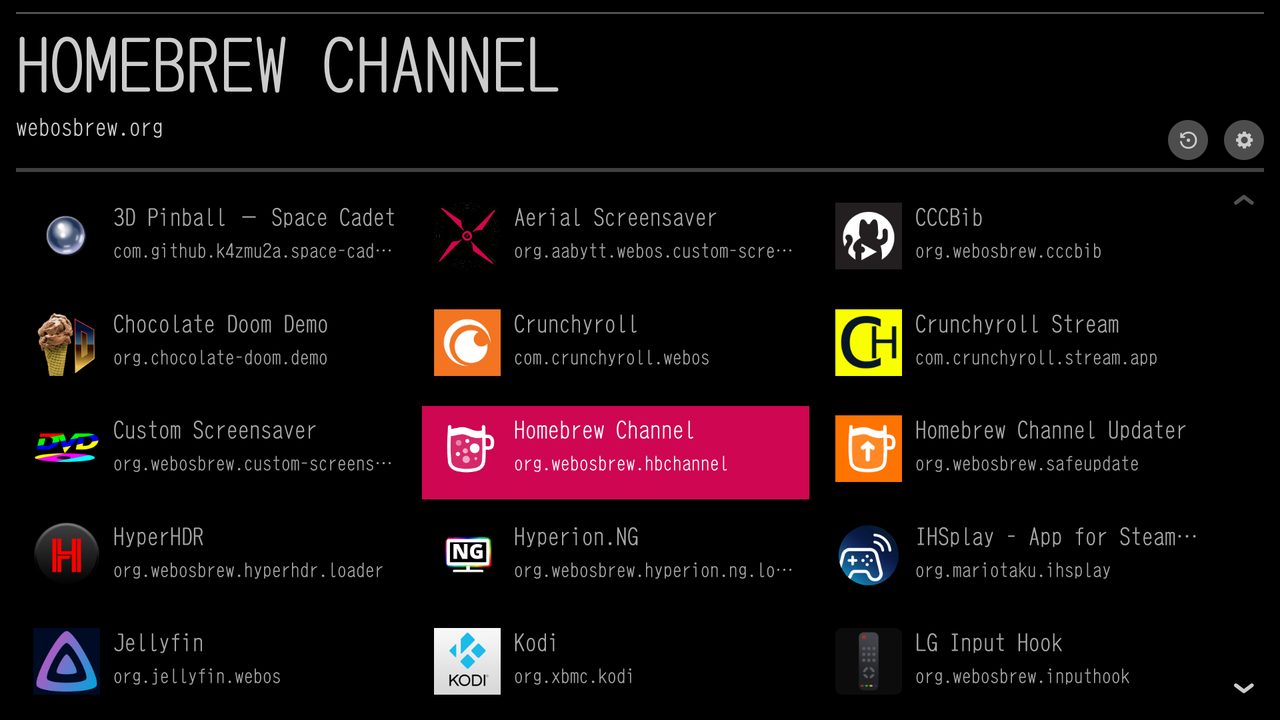

Homebrew Channel
Verified – v0.7.3 – 1.6 MB LaunchersThe homebrew store for rooted TVs. Browse, install and update homebrew apps right on the TV, without a computer.
Source: github.com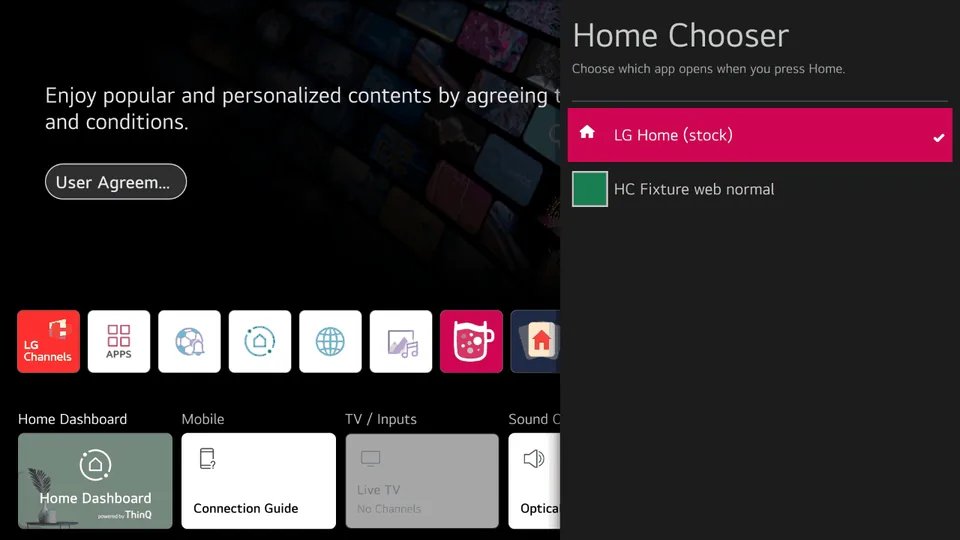

Home Chooser
Verified – v0.2.0 – 510 KB SystemChooses which app the Home button opens – LG Home or any installed launcher – and restores LG Home by itself if the launcher is removed.
Source: github.com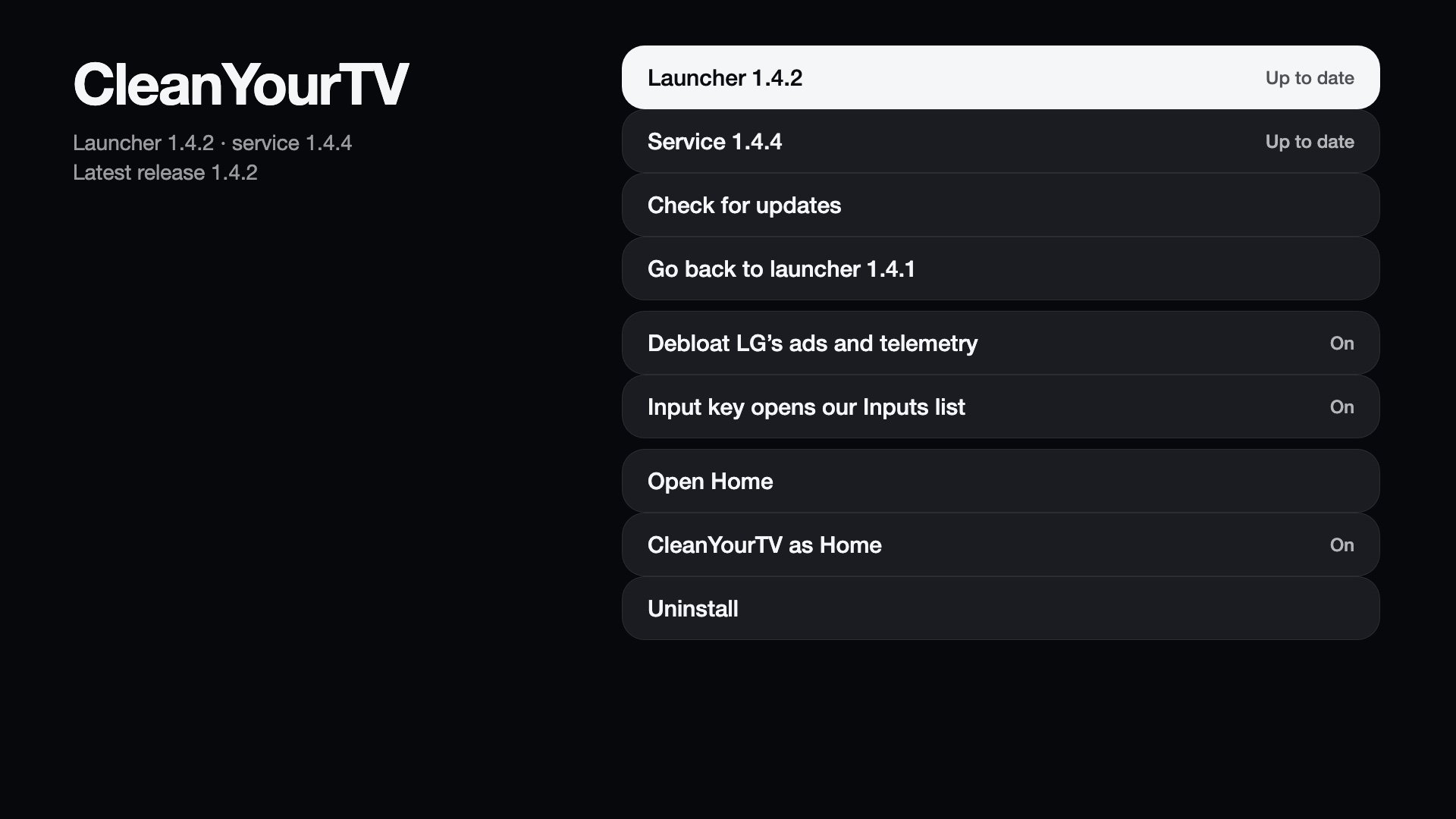

CleanYourTV
Verified – v1.8.0 – 3.1 MB LaunchersA home screen with Live TV from your own playlist, picture notifications and voice. Unofficial atlet99 fork, actively maintained.
Source: github.com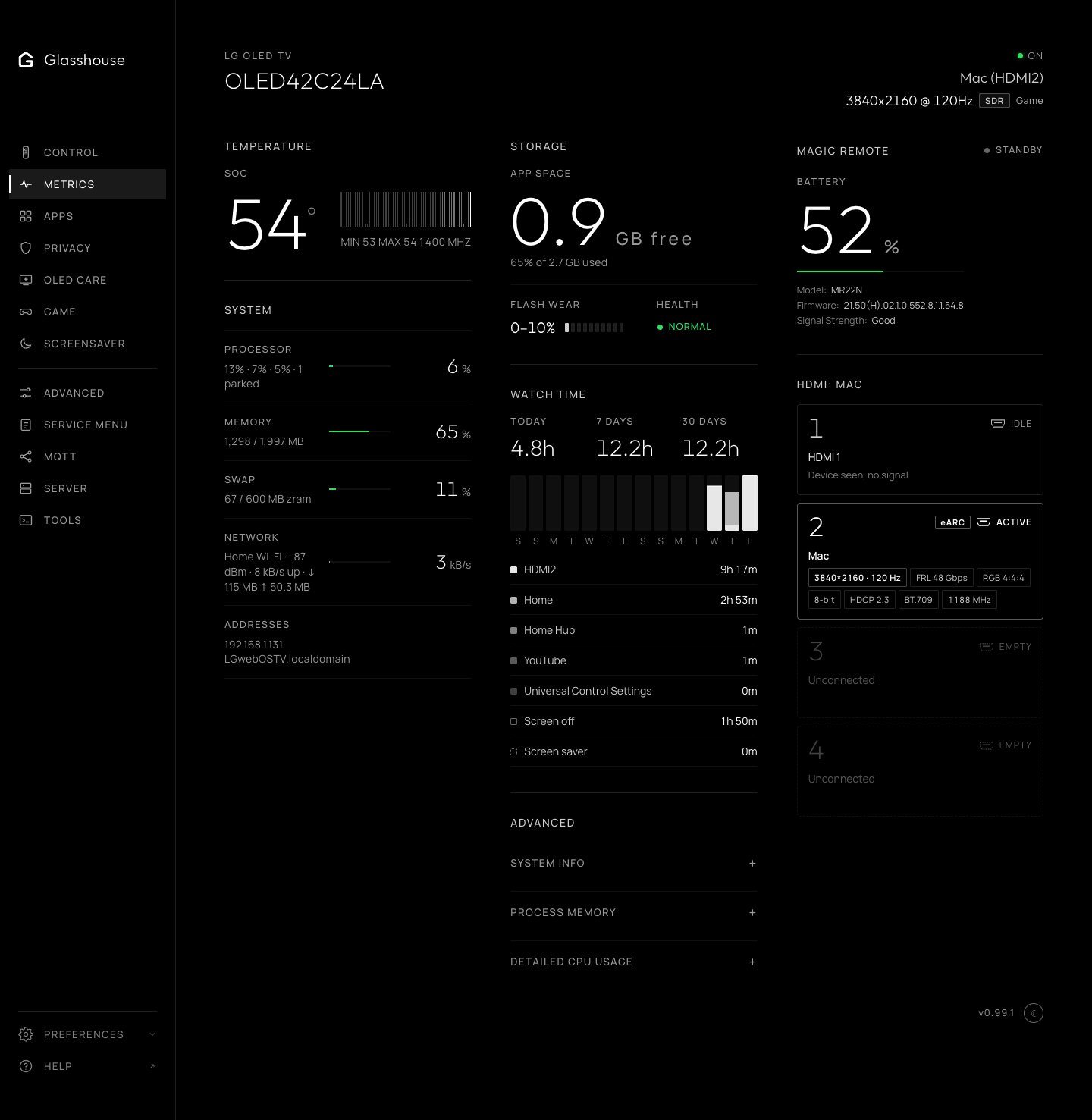

Glasshouse
Verified – v0.154.0 – 2.4 MB PrivacyA dashboard for rooted TVs: privacy controls and a Home Assistant bridge.
Source: github.com
LG Input Hook
Verified – v1.5.1 – 2.7 MB SystemRemaps any button on the TV remote – disable it, run a command, or make it act as another button – and the mapping survives reboots.
Source: github.com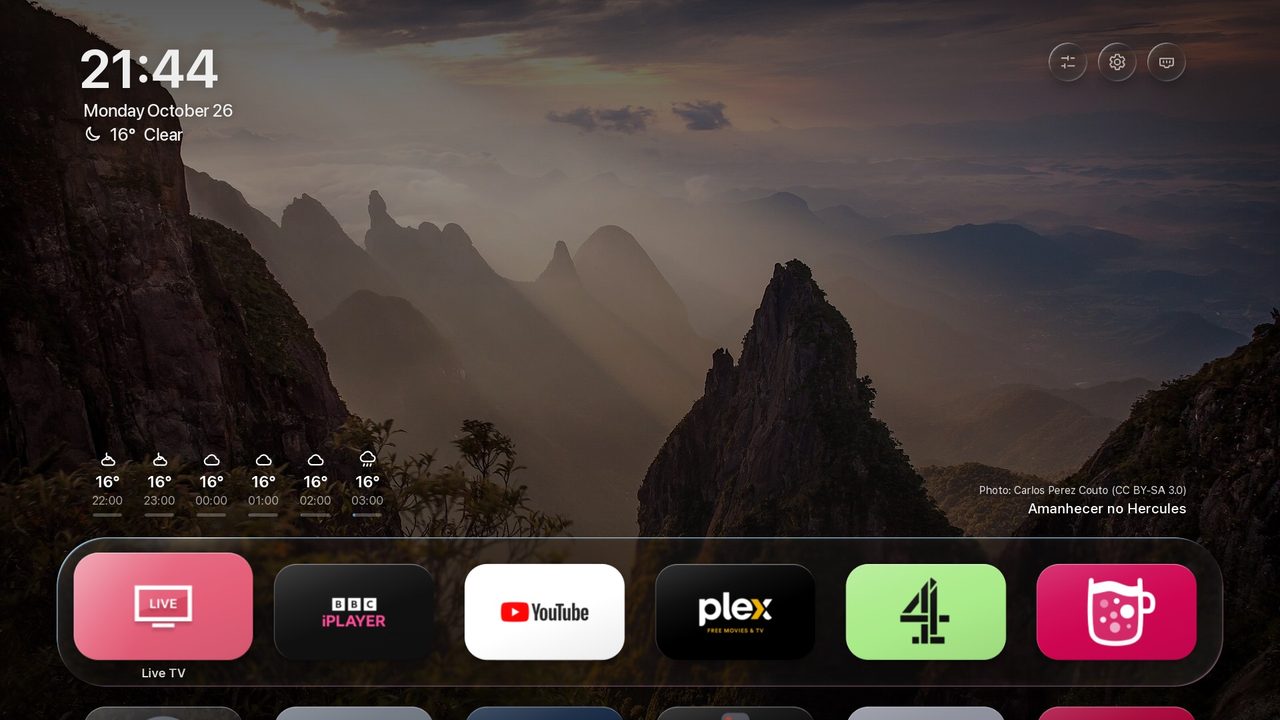

Lumen Launcher
Verified – v2.2.1 – 2.8 MB LaunchersApple TV style launcher with a TV guide, quick apps and a screensaver. A tvOS-style home screen for rooted LG webOS TVs.
Source: github.com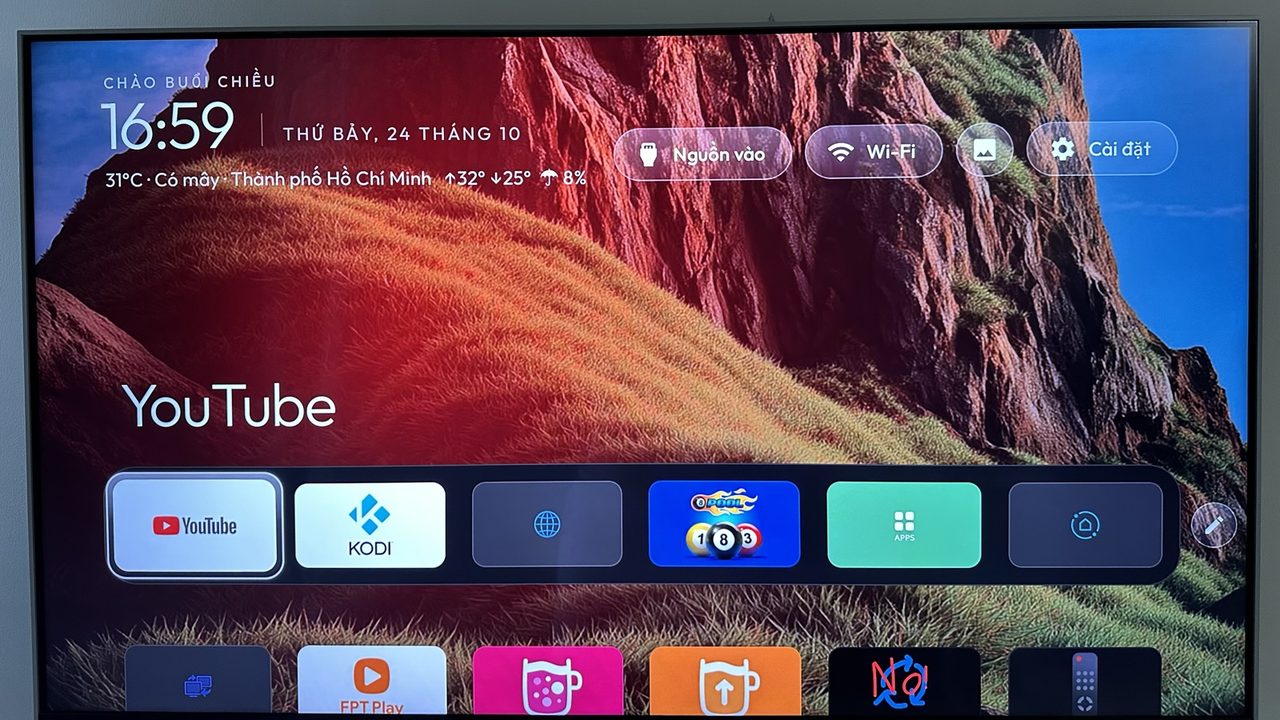

VibeHack Launcher
Verified – v1.2.0 – 123 KB LaunchersApple TV style home screen with wallpaper and weather from your phone. Adds a real Home button and your own wallpaper to the LG TV. Rooted TV.
Source: github.com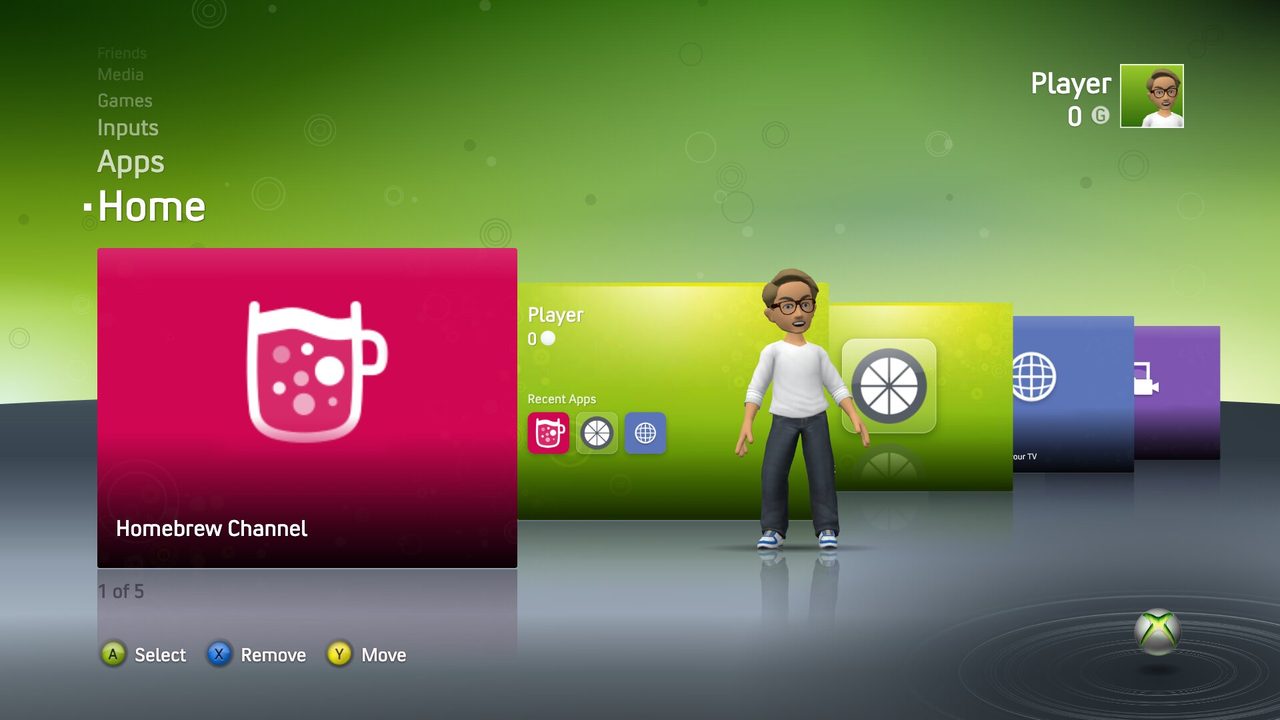

webOS NXE
Verified – v0.1.4 – 3.1 MB LaunchersA launcher that recreates the late-2008 Xbox 360 NXE dashboard on your TV. A column of channels and panes you move through with the remote – just for fun. Rooted TV.
Source: github.com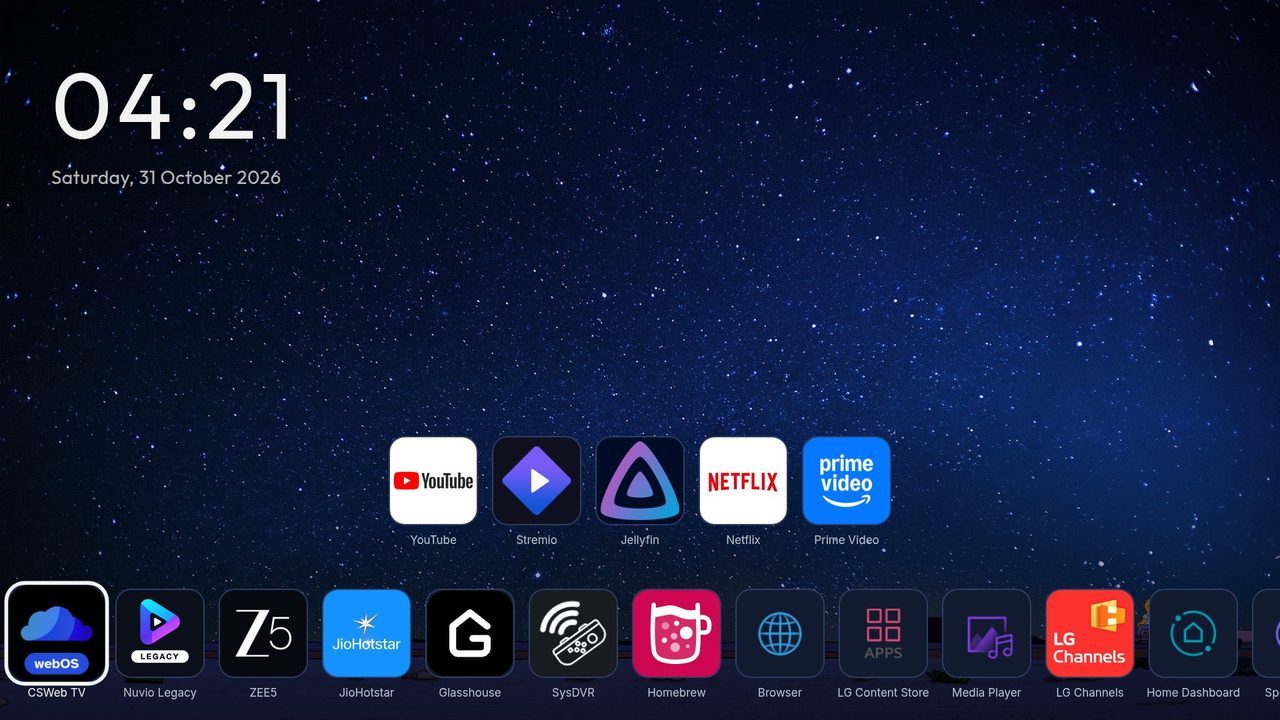
Hearth
Verified – v2.2.0 – 18.6 MB LaunchersA fast, calm custom home screen for webOS TVs – clock, weather, your apps, inputs and wallpaper on one quiet screen. Root features need a rooted TV; the core home screen works in Developer Mode.
Source: github.comPrivacy and network
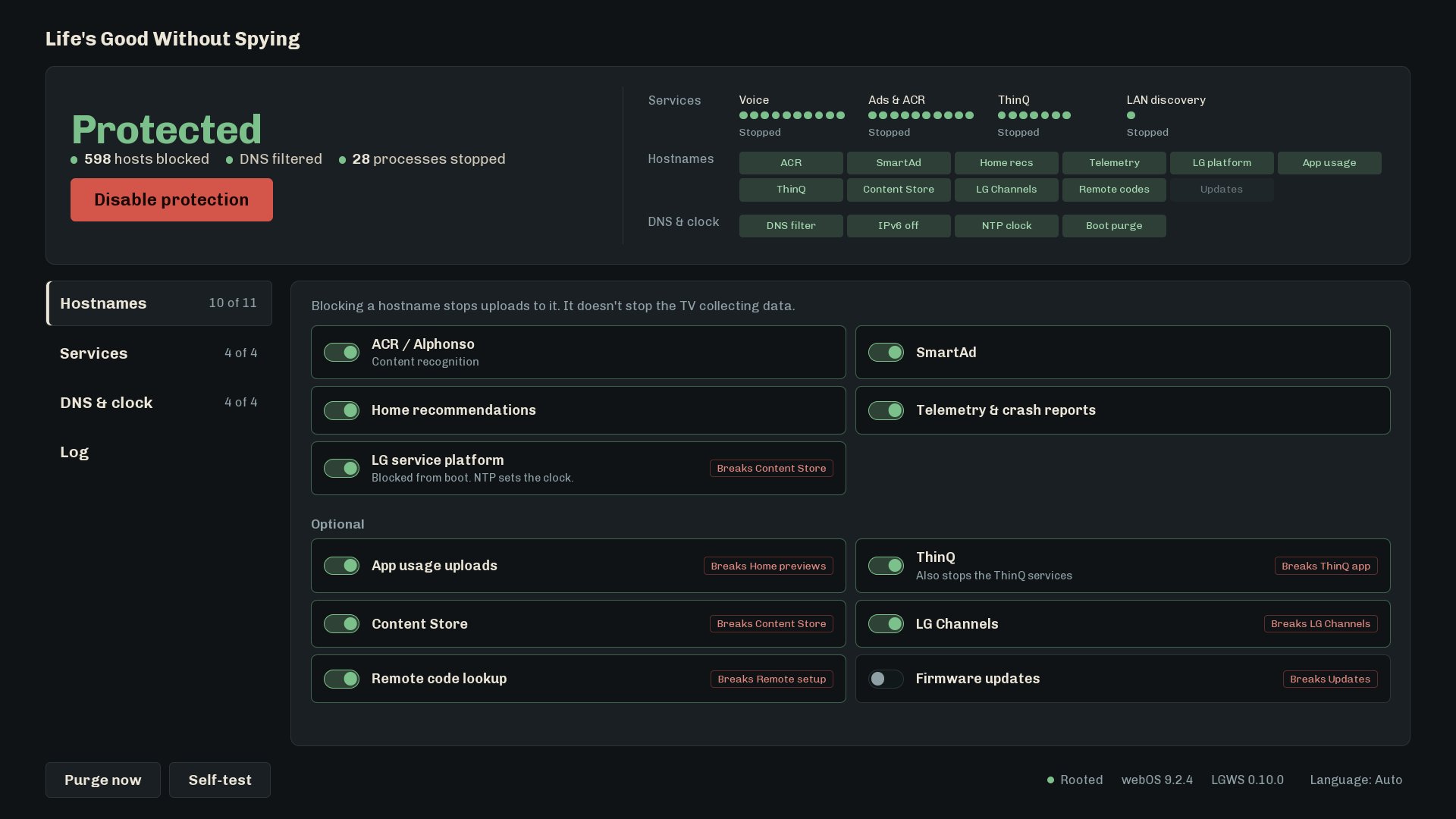

Life’s Good Without Spying
Verified – v0.12.3 – 148 KB PrivacySwitches off LG TV surveillance: ad delivery, ACR and always-on voice capture.
Source: github.com
WireGuard VPN
Verified – v1.0.8 – 3.4 MB NetworkRuns a WireGuard VPN tunnel on the TV using a userspace client – install, configure, start and stop it from the TV, with optional autostart.
Source: github.com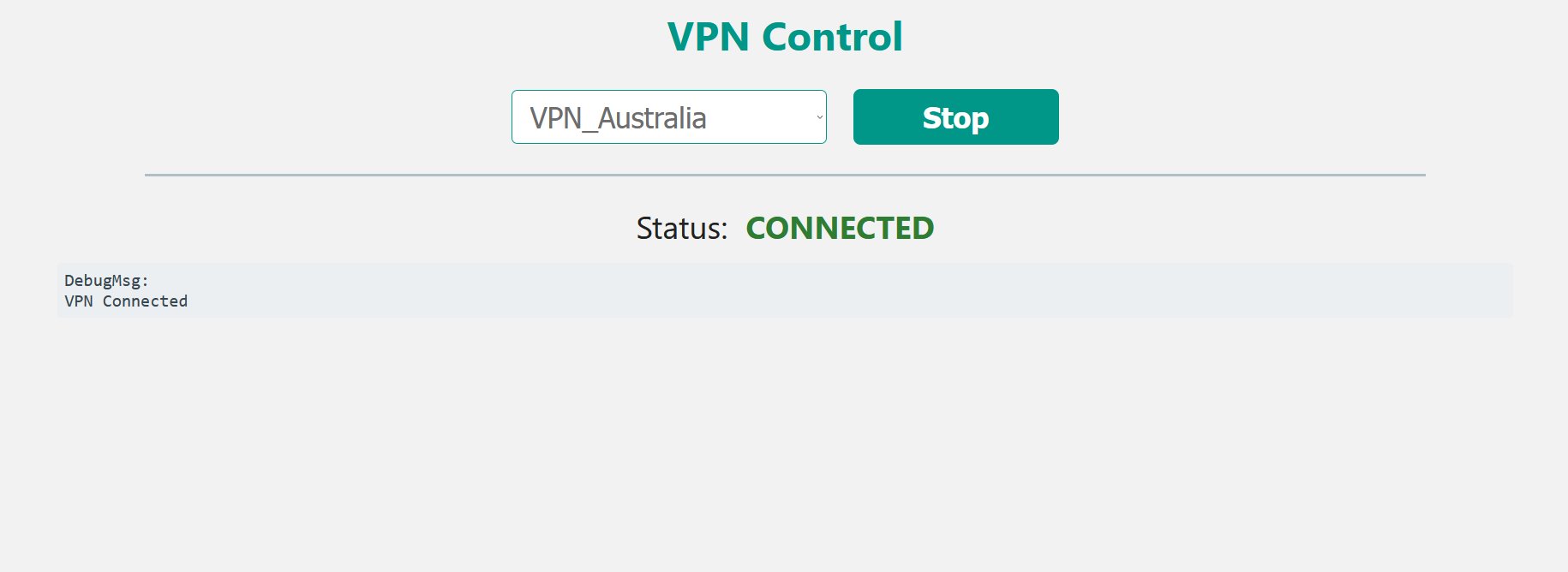

VPN Client
Verified – v0.0.2 – 1.4 MB NetworkRuns an OpenVPN connection from the TV with your own .ovpn profiles – the tunnel stays up as you switch apps, so other apps use it too.
Source: github.com
VNC Server
Verified – v1.0.3 – 2.1 MB NetworkRuns a VNC server on the TV so you can view and control it from a computer on port 5900 – it captures the TV’s UI, not hardware video.
Source: github.comPicture and sound

HyperHDR
Verified – v22.0.1 – 32.0 MB AmbilightAmbilight for webOS: drive LED lights from the picture on screen.
Source: github.com
Hyperion.NG
Verified – v0.1.11 – 25.9 MB AmbilightInstalls the Hyperion.NG ambient-lighting service on the TV, driving LED strips from the picture via the webOS video grabber.
Source: github.com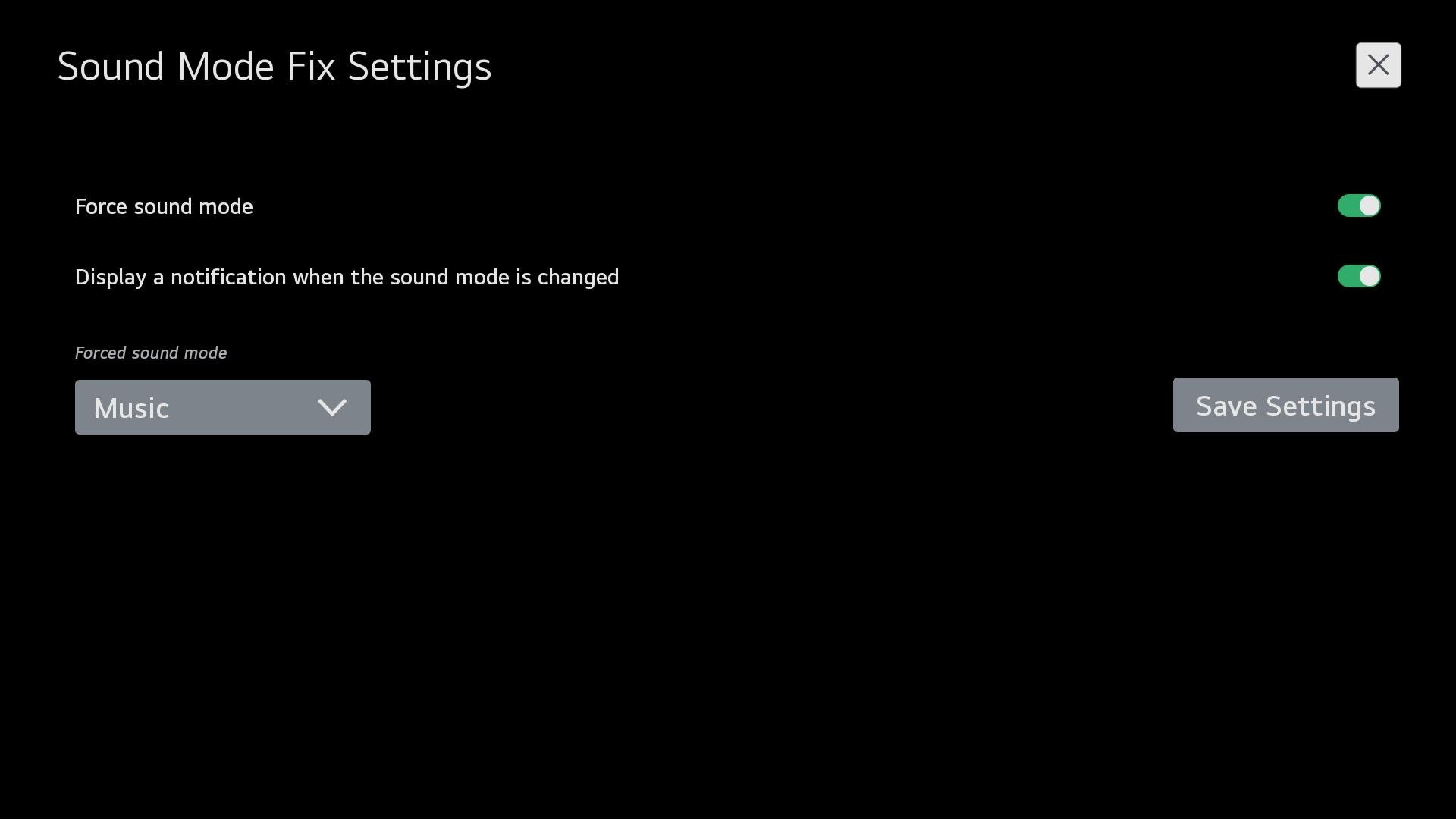

Sound Mode Fix
Verified – v1.0.0 – 14.2 MB SystemForces the TV’s sound mode to stay on the one you set, even in Game Optimizer mode, instead of the TV switching it back.
Source: github.com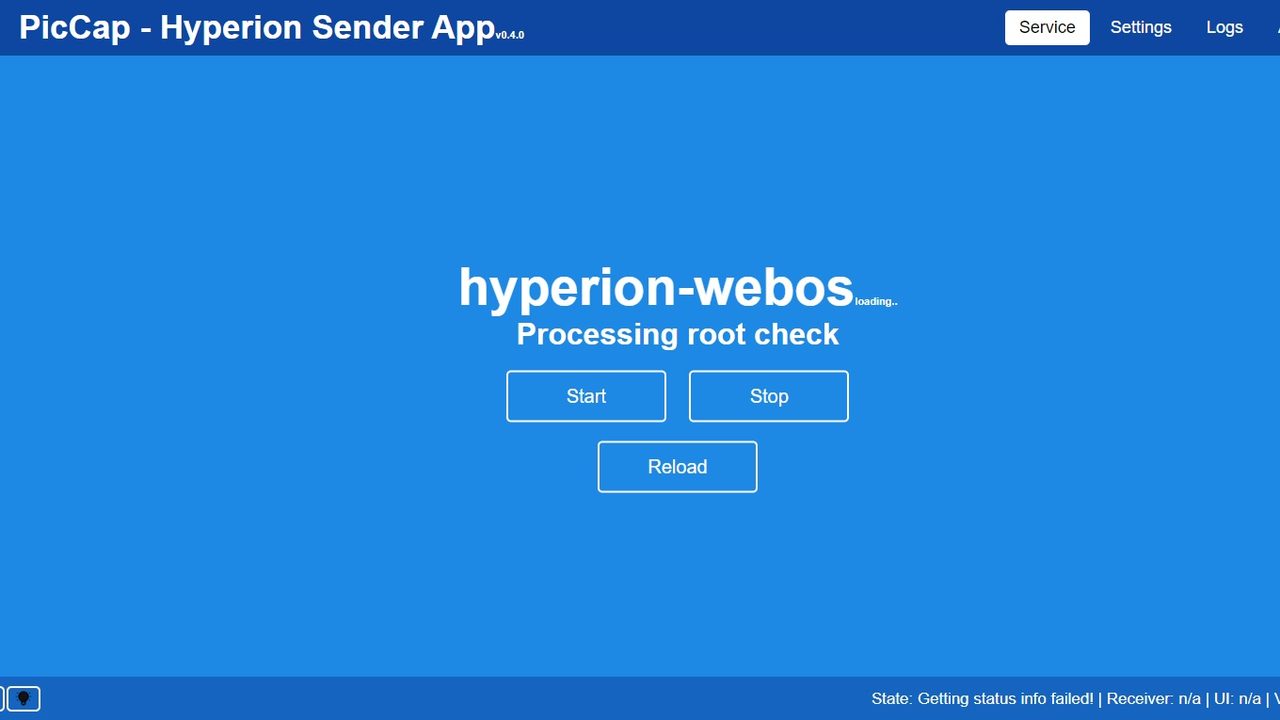

PicCap
Verified – v0.5.3 – 991 KB ToolsSend your TV picture to Hyperion ambilight lights. PicCap captures the screen and drives your LED strip in sync with the picture. Rooted TV only.
Source: github.com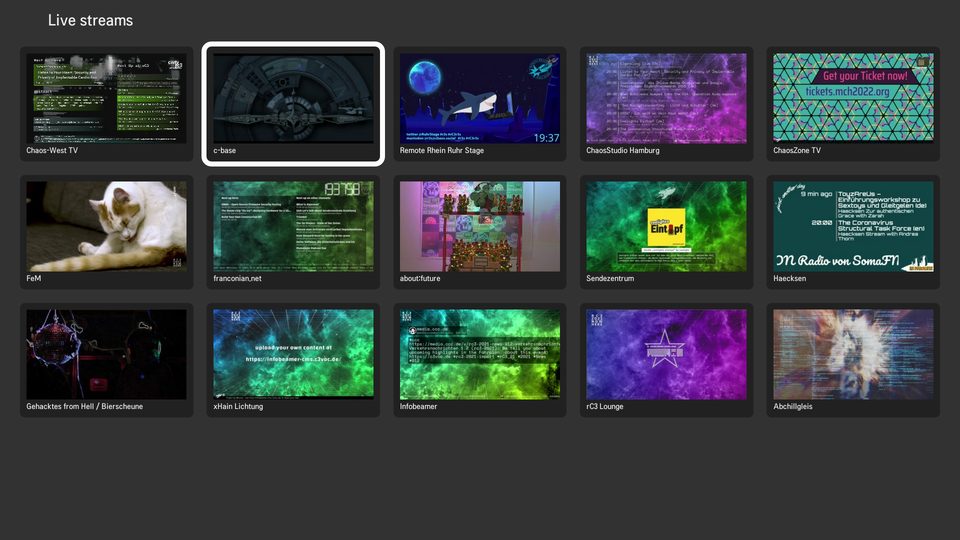

streamkatze
Verified – v0.1.1 – 293 KB StreamingMinimal player for the Chaos Computer Club streaming site (streaming.media.ccc.de). Watch CCC talks and conference streams on the TV. Experimental.
Source: github.comScreensavers


Aerial webOS screensaver
Verified – v1.0.3 – 1.2 MB ScreensaversA redesigned Aerial screensaver with 190+ Apple-style aerial videos in up to 4K Dolby Vision, plus on-screen time, date and video titles.
Source: github.com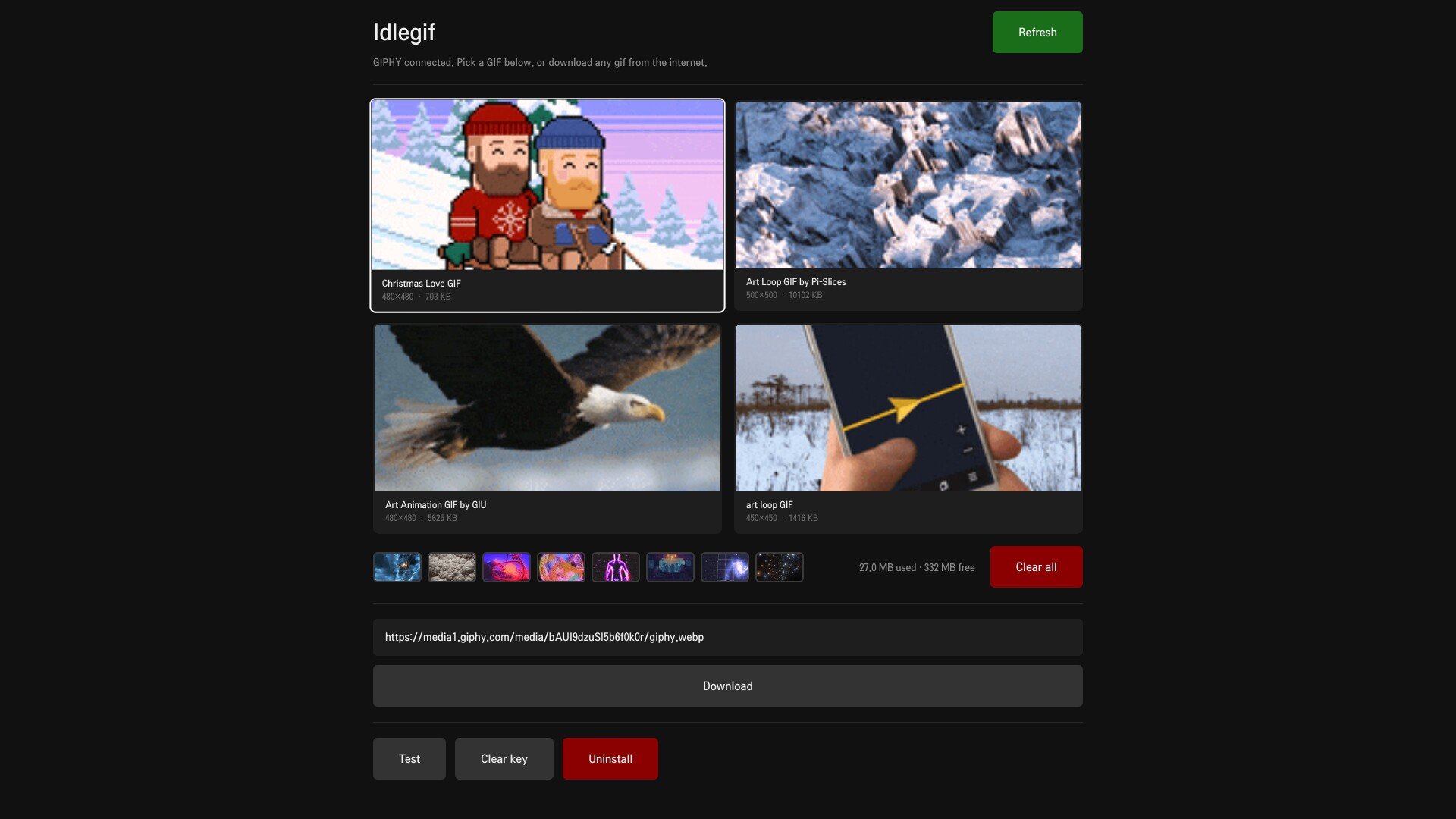

Idlegif
Verified – v2.0.1 – 821 KB ScreensaversReplaces the stock screensaver with looping GIFs – up to eight slots, picked at random, from GIPHY or any direct GIF link.
Source: github.com

Custom Screensaver
Verified – v1.0.1 – 762 KB ToolsMake your own screensaver from photos or videos. The last custom screensaver you will ever need – rooted TVs only.
Source: github.com

Aerial Screensaver
Verified – v3.1.1 – 9.2 MB ToolsApple TV style aerial videos as your TV screensaver. Beautiful slow drone footage that plays when the TV is idle.
Source: github.comSystem tools
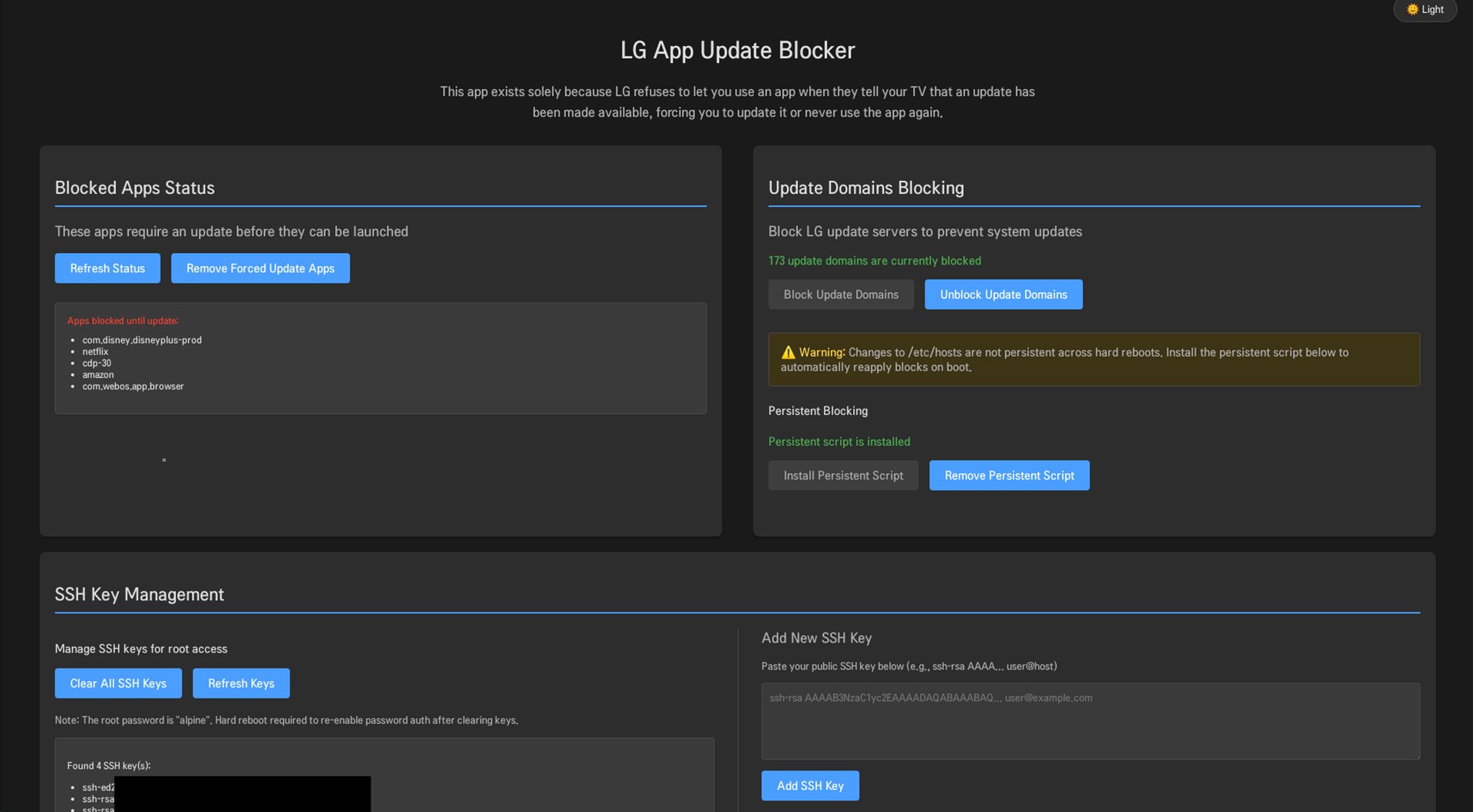

LG App Update Blocker
Verified – v1.0.0 – 74 KB SystemStops LG blocking an app until you update it – no more ‘You must update this app to launch it’ before the browser and other apps will open.
Source: github.com
Homebrew Channel Updater
Verified – v0.1.2 – 204 KB SystemRepairs and updates the Homebrew Channel itself, re-elevating its root service when it reports ‘unelevated’, so you never re-root the TV.
Source: github.com
Bluetooth Disabler
Verified – v1.1.0 – 2.8 MB SystemTurn Bluetooth off at the system level, even though the TV settings do not allow it.
Source: github.com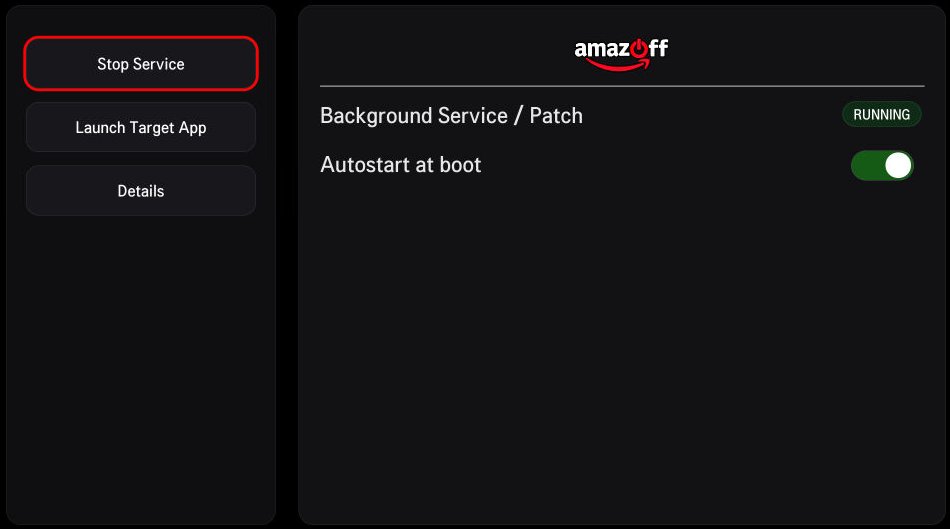

AmazOff Patcher
Verified – v0.2.3 – 2.8 MB SystemPatches the stock Prime Video app to remove ads and telemetry, so even the remote’s Amazon button opens the ad-free version.
Source: github.com
Decoder Bench
Verified – v1.1.0 – 8.7 MB SystemStress-tests the TV’s native video decoder pipeline and saves results as CSV, so you can tell if a streaming limit comes from the decoder.
Source: github.com
webOS 64-bit bridge
Verified – v0.0.8 – 15.6 MB DevelopersA 64-bit EGL, GLES and Wayland bridge for developers. No screen of its own.
Source: github.com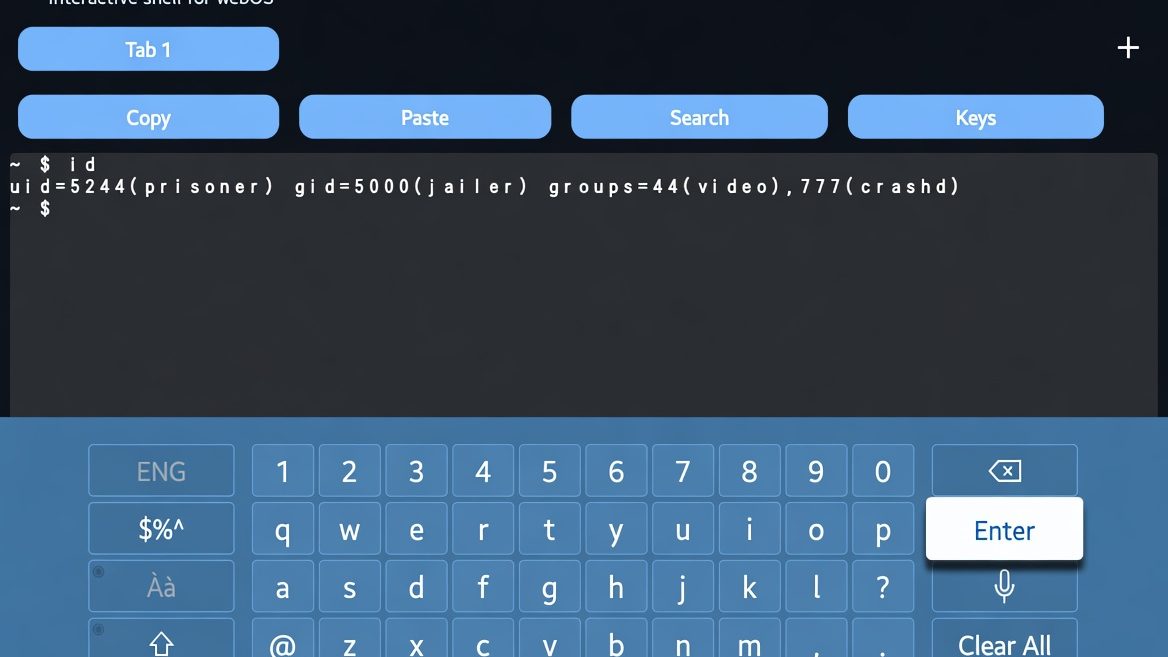
webOS Terminal
Verified – v0.0.13 – 1.7 MB ToolsA terminal on your TV, for advanced users only. Run shell commands right on the TV – rooted TVs only.
Source: github.comNew in v33

WoL Keeper
Verified – v0.2.1 – 11 KB NetworkKeep ethernet Wake-on-LAN working forever in standby (rooted TV with Homebrew Channel, webOS 22 or newer)
Source: github.comNew in v29
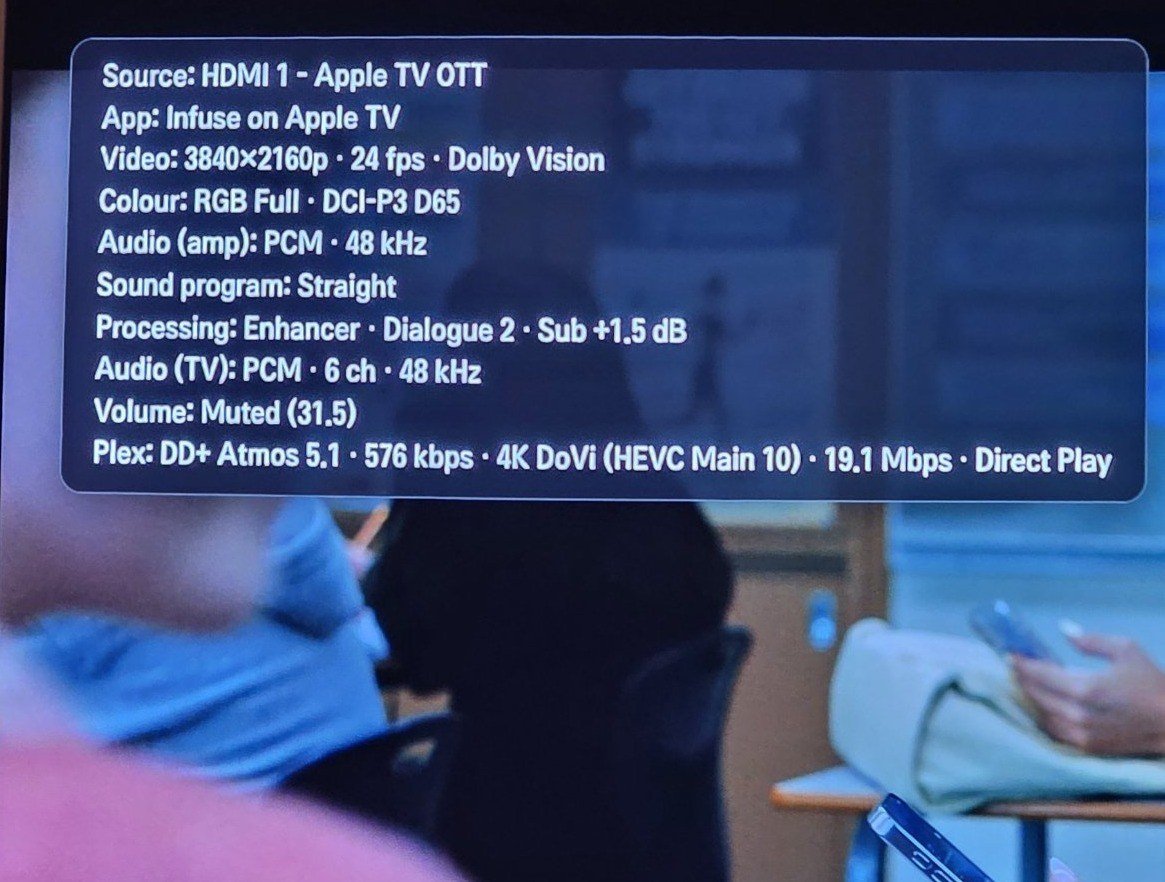

AV Overlay
Verified – v2.5.3 – 65 KB ToolsOn-screen volume popup and audio/video format info bar for a rooted LG webOS TV. Yamaha receiver optional; install is script-based over SSH, not IPK-only. Ships with a companion Settings app.
Source: github.comNew in v28
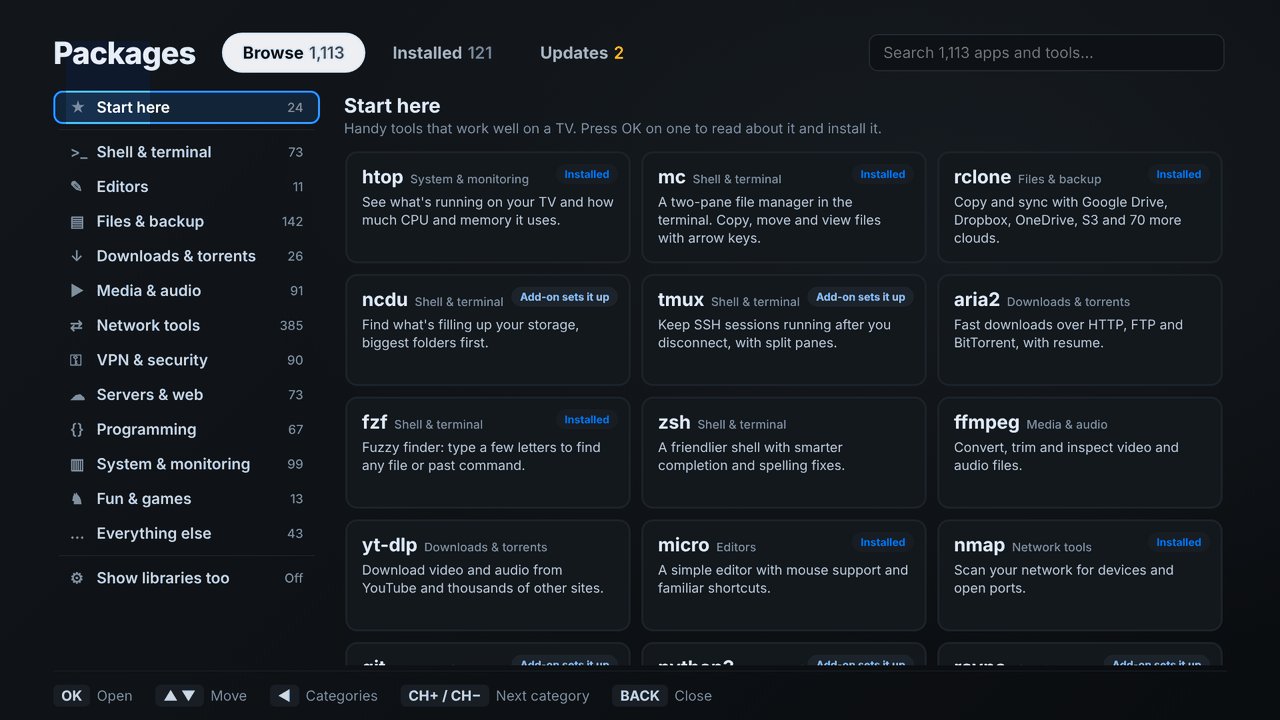
Entware
Verified – v2.15.3 – 193 KB ToolsInstall and manage Entware on a rooted LG TV.
Source: github.com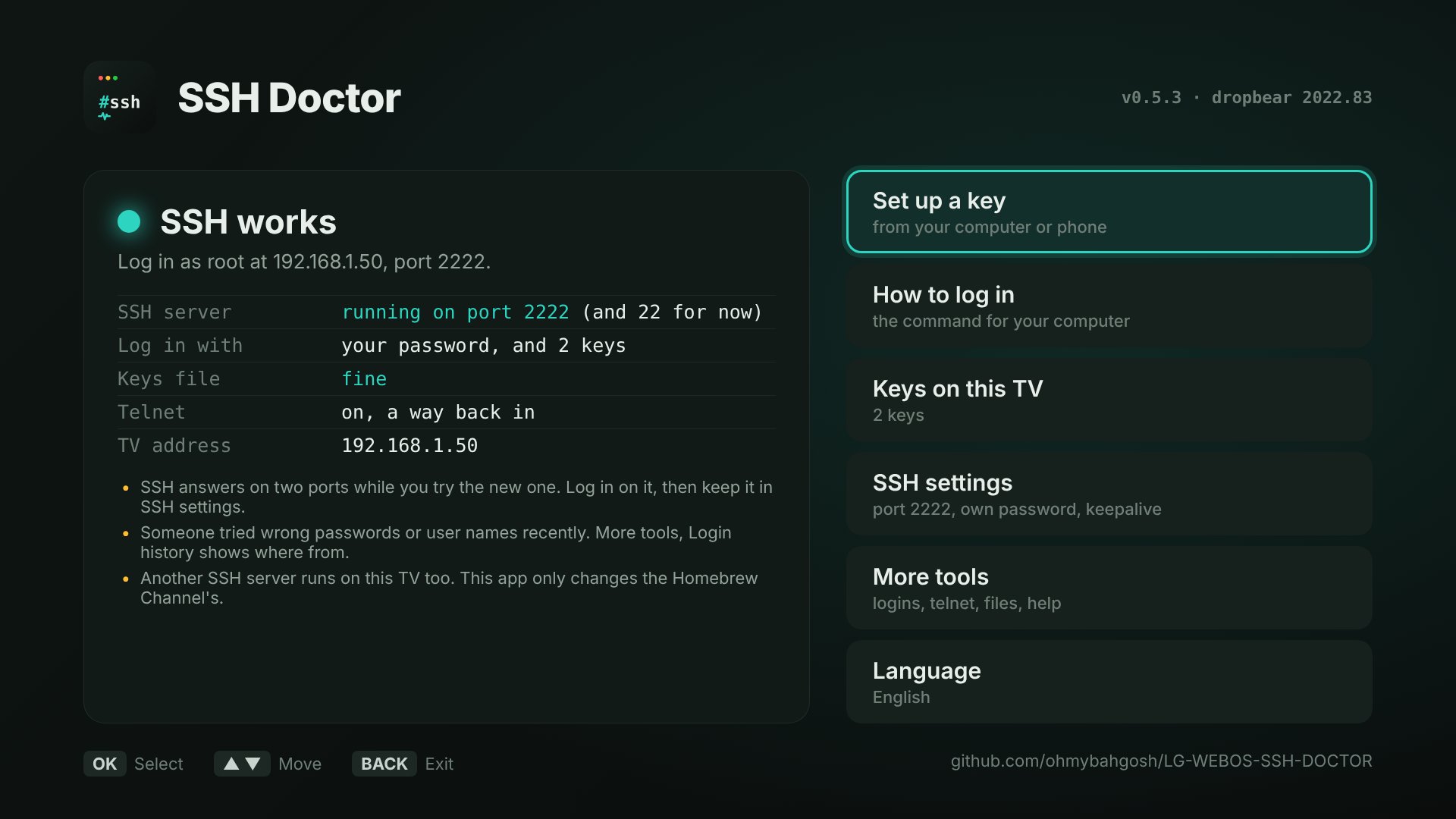
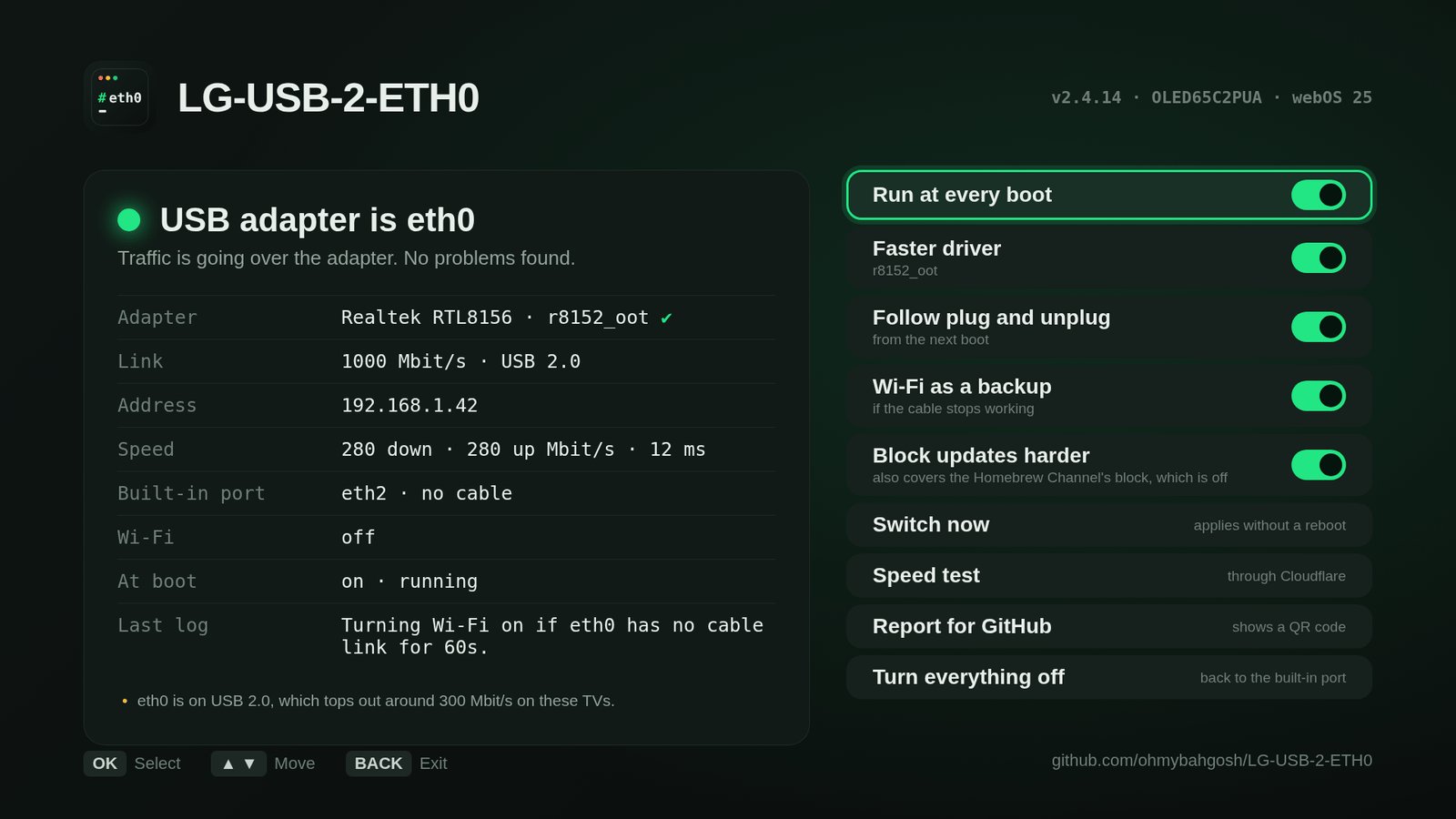
LG-USB-2-ETH0
Verified – v2.11.40 – 166 KB ToolsMake a USB Ethernet adapter the TV’s eth0.
Source: github.com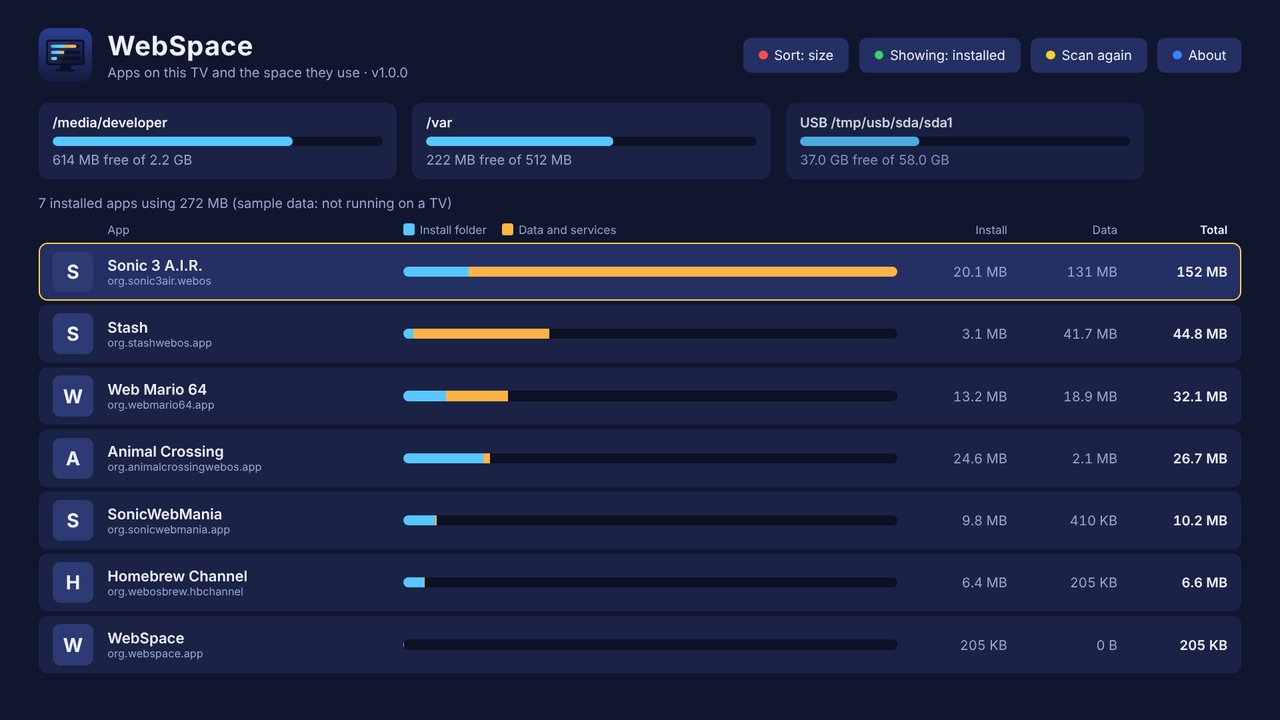

WebSpace
Verified – v1.0.3 – 45 KB ToolsLists the installed apps and the storage each one uses.
Source: github.com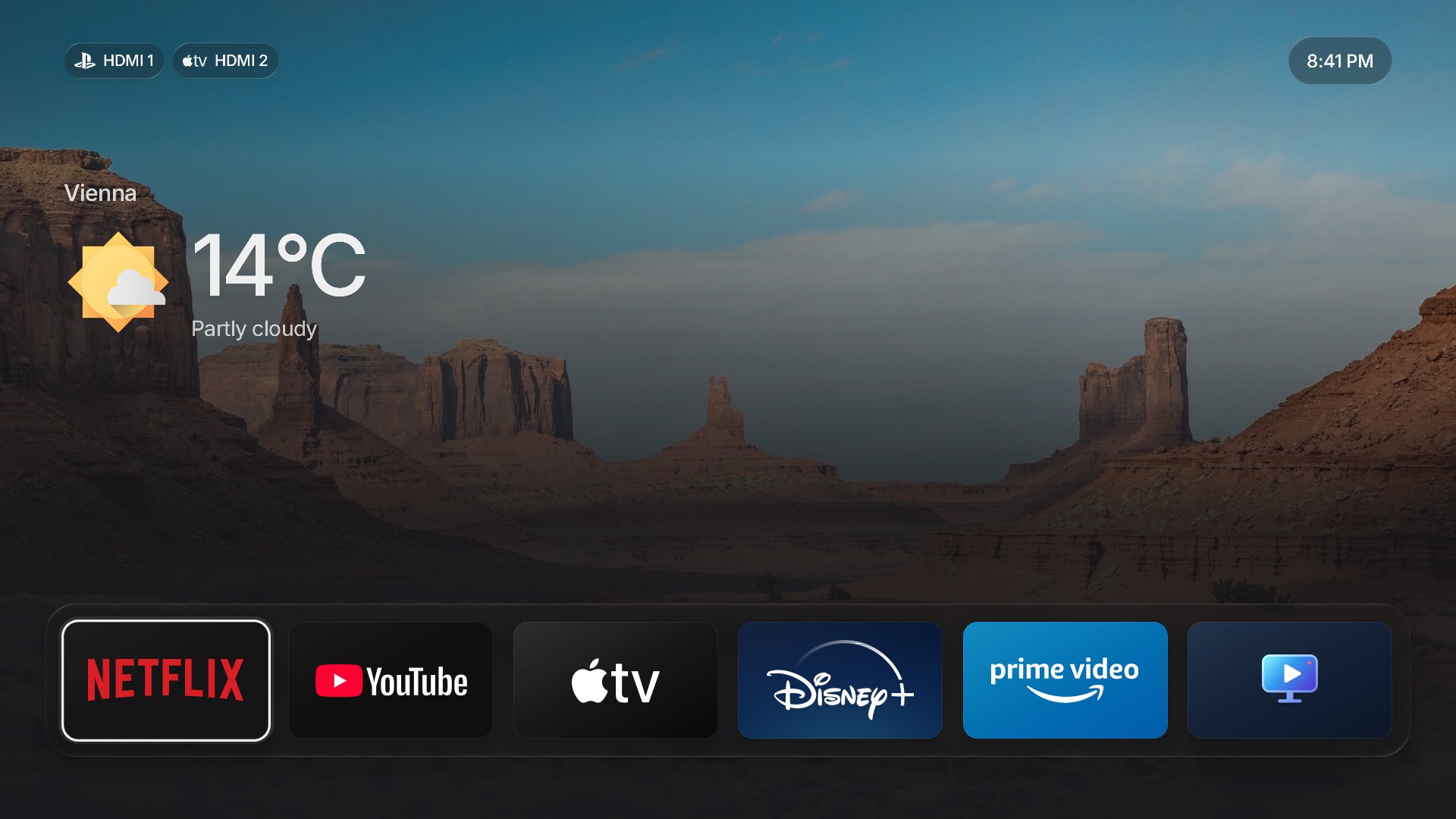

Luma (Native)
Verified – v3.13.0 – 24.1 MB LaunchersA different launcher from Luma Launcher on /apps: a native, root-only Home replacement for rooted TVs, inspired by Apple TV – Liquid Glass home screen, app drawer, input pills and widgets. Home takeover is optional and reversible; LG Home stays underneath. Disable any Home-button mapping (e.g. LG Input Hook) and any other Home replacement before enabling takeover. Disable takeover before uninstalling.
Source: github.com
webOS ATL
Verified – v0.1.1 – 347 KB SystemRun Android apps on a rooted webOS TV – no emulator, no Android VM. Experimental: many apps work, many don’t. Rooted aarch64 TV with Homebrew Channel only, tested on one model (LG 43UR7500, webOS 23); Android apps run as root, so install only APKs you trust. Optional Chromium browser add-on available. The ~200 MB Android runtime downloads on first run.
Source: github.com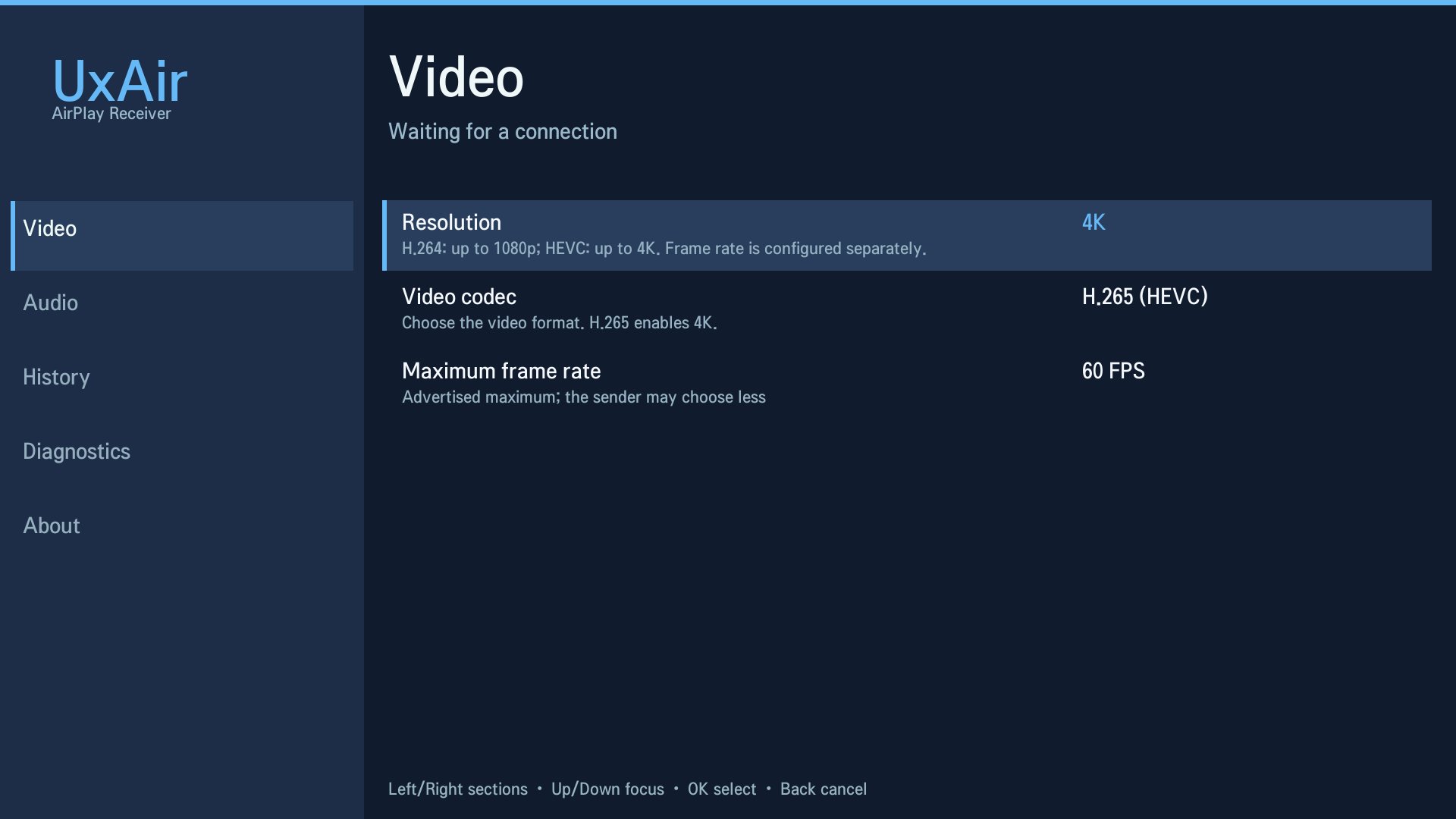

UxAir
Verified – v1.2.0 – 2.6 MB NetworkA native AirPlay mirroring and RAOP audio receiver for rooted LG webOS TVs, derived from the open-source UxPlay project.
Source: github.comAdd the rooted feed to Homebrew Channel
For rooted TVs. Add this feed URL once in Homebrew Channel Settings, then Add repository. After that you can install and update any of the 38 rooted apps from the TV itself, with no computer. This feed lists only the rooted apps on this page – never the main library.
Rooted TV only. The main library has its own feed on the library page.
Not rooted yet?
Rooting gives you a permanent install with no 50-hour Developer Mode expiry. Start with the guide, and only root a TV you own.
Screenshots are the apps’ own published images.
Orb IPK Library – ckorb.com – Homebrew only. Install at your own risk.
An IPK is a program – it can do anything on a TV. Only install apps from makers you trust.
Not affiliated with LG, webOS, or any app listed here.
Privacy – Terms
